
Automate calculations from your spreadsheets
API Spreadsheets Team ·

Overview
Maybe you want to build a web calculator that figures out mortgage payments and eligibility. Or maybe you're building a calculator that figures out your ideal tire pressure.
No matter what you build, the first step is often to understand and translate complex formulas someone has already built in a spreadsheet. In this guide, you'll learn how to automate those spreadsheet calculations using Python and API Spreadsheets (free to start).
What you'll build
- A simple mortgage calculator spreadsheet (inputs + formula outputs).
- An API Spreadsheets file that exposes your sheet via the
/calculateendpoint. - A small Python script that sends input values and reads back the formula results as JSON.
Prerequisites
- An API Spreadsheets account.
- A spreadsheet with formulas (Excel, CSV, or Google Sheets export).
- A Python environment with
requestsinstalled (e.g.pip install requests).
1. Prepare your spreadsheet
Start with a spreadsheet that takes in some basic input about your finances and returns key mortgage payment details. In our example:
- Green cells: inputs (e.g. home price, down payment %, interest rate).
- Yellow cells: outputs calculated by formulas (e.g. monthly payment, total interest).
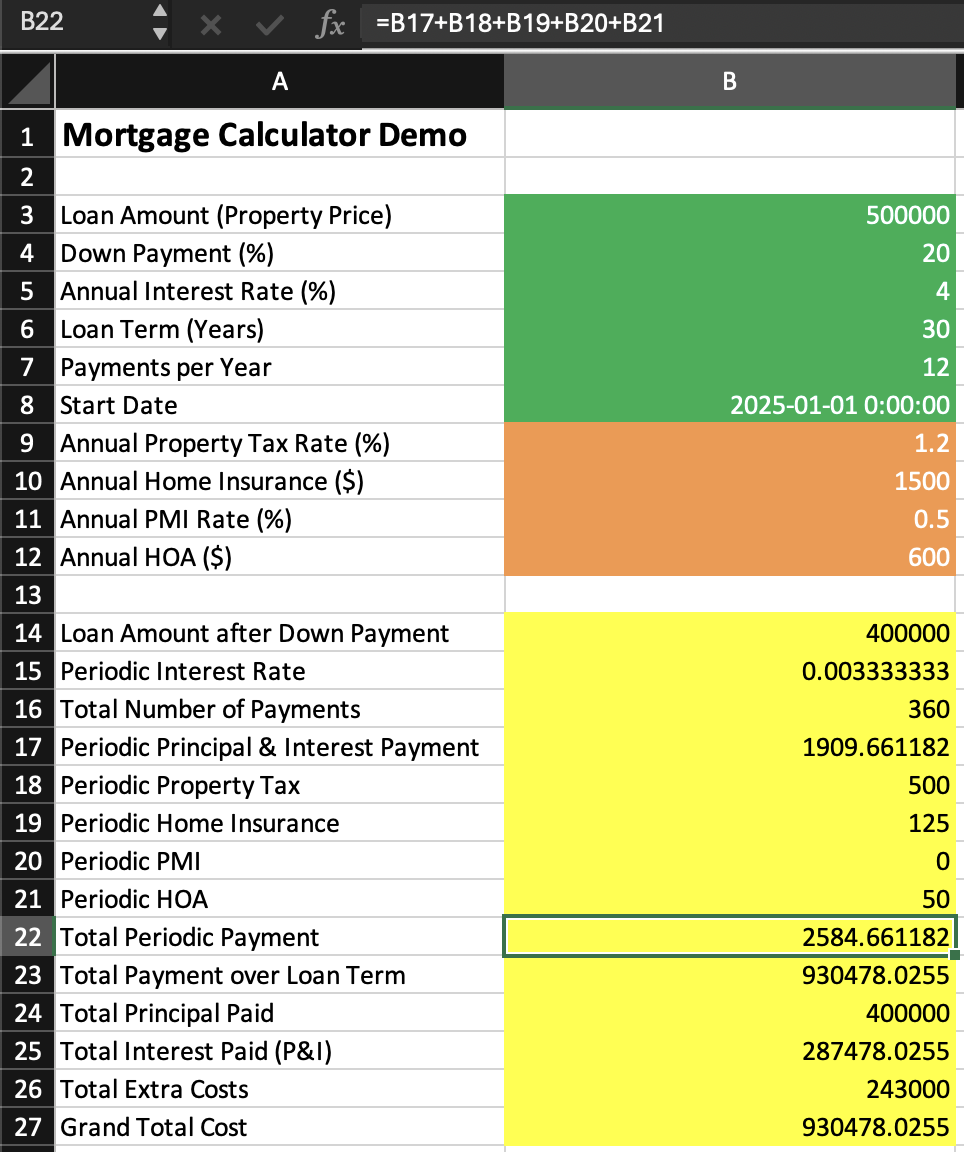
In this spreadsheet, all of the yellow cells are calculated by formulas. We're going to let API Spreadsheets run those formulas for us, on demand, from a Python script.
2. Upload your spreadsheet to API Spreadsheets
- Go to www.apispreadsheets.com and upload your mortgage calculator spreadsheet. Create a free account if you don't already have one.
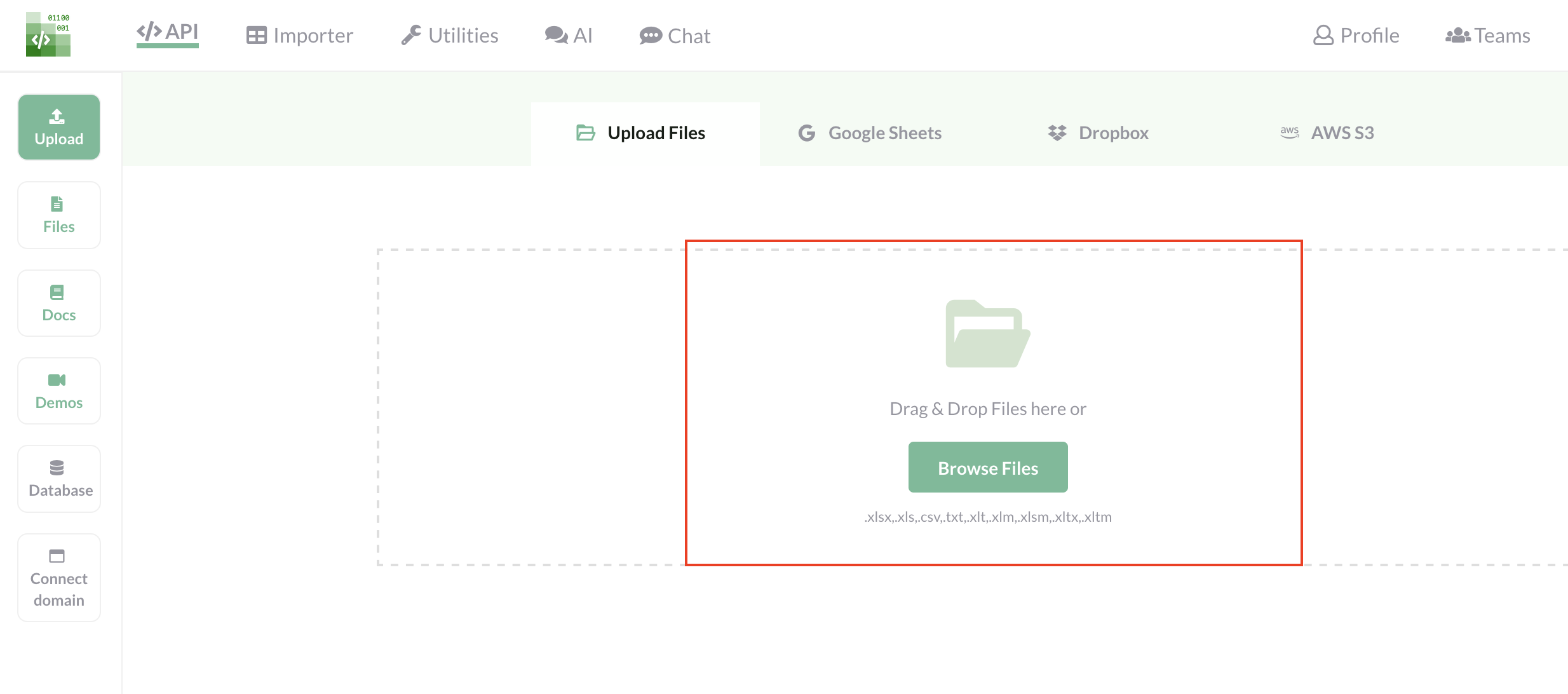
- After a successful upload, you'll be taken to the file page. From here, copy your:
- File ID
- File Access Key
- File Secret Key
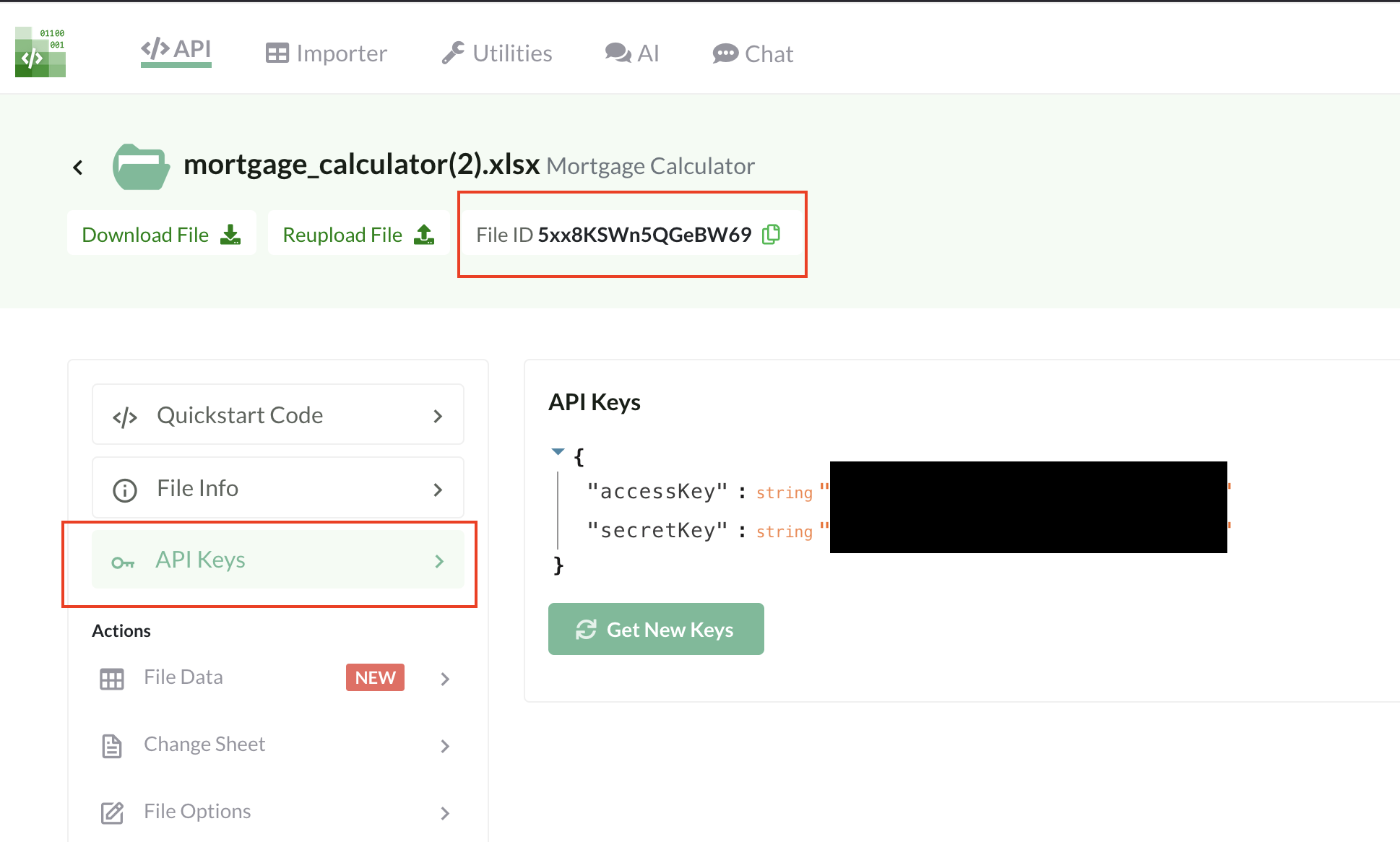
We'll plug these values into the Python script in the next step so it can call the /calculate endpoint securely.
3. Create & run your Python script
Now create a new Python file (for example mortgage_calculate.py) and paste in the script below. Replace the placeholders with your own File ID, access key, and secret key.
import requests

## TODO: REPLACE YOUR FILE ID, ACCESS_KEY AND SECRET_KEY HERE
YOUR_FILE_ID = "5xx8KSWn5QGeBW69"
YOUR_ACCESS_KEY = "YOUR_ACCESS_KEY"
YOUR_SECRET_KEY = "YOUR_SECRET_KEY"

## this is the API URL
url = f"https://api.apispreadsheets.com/calculate/{YOUR_FILE_ID}"

## format is {"sheet_name": {"cell_ref_1": input_values, ...}}
input_cells = {
    "Mortgage Calculator": {
        "B3": 400000,  # Home price
        "B4": 20,      # Down payment %
        "B5": 3        # Interest rate %
    }
}

## format is {"sheet_name": ["cell_1", "cell_2"]}
output_cells = {"Mortgage Calculator": ["B14", "B15", "B16"]}

req_body = {"input_cells": input_cells, "output_cells": output_cells}

headers = {
    "accessKey": YOUR_ACCESS_KEY,
    "secretKey": YOUR_SECRET_KEY
}

r = requests.post(url, json=req_body, headers=headers)
print(r.status_code)
print(r.text)
How this works
input_cells: tells API Spreadsheets which cells to treat as inputs and what values to write there (in our case, B3, B4, B5 on theMortgage Calculatorsheet).output_cells: tells it which cells to read back after formulas recalculate (B14, B15, B16 in this example).- The
/calculateendpoint writes the inputs, runs the spreadsheet's own formulas, then returns the requested output cell values as JSON.
Run your script with python mortgage_calculate.py. You should see a 200 status code and a JSON response with your output values.
4. Adapting this to any calculator
The same pattern works for any spreadsheet-based calculator you have:
- Change the
sheet_nameto match your sheet tab name. - Update
input_cellswith the cell references and values you want to feed in. - Update
output_cellswith whichever formula-driven cells you want returned. - Wrap this script in a web app, CLI tool, or background job to power real-time calculators in your product.
Let us know what you build
We'd love to see what you create with automated spreadsheet calculations—whether it's mortgage tools, pricing calculators, or something totally different. Share what you build in the comments, or reach out if you have any questions or run into any issues!